Amount and venue
GRAM and USD, received token, DEX or launchpad, and the transaction link.
 TON BuyBotTelegram buy alerts for TON tokens
Each alert shows the amount, buyer, venue, market data, and chart. Transaction, tracking, and buy buttons remain below the message.
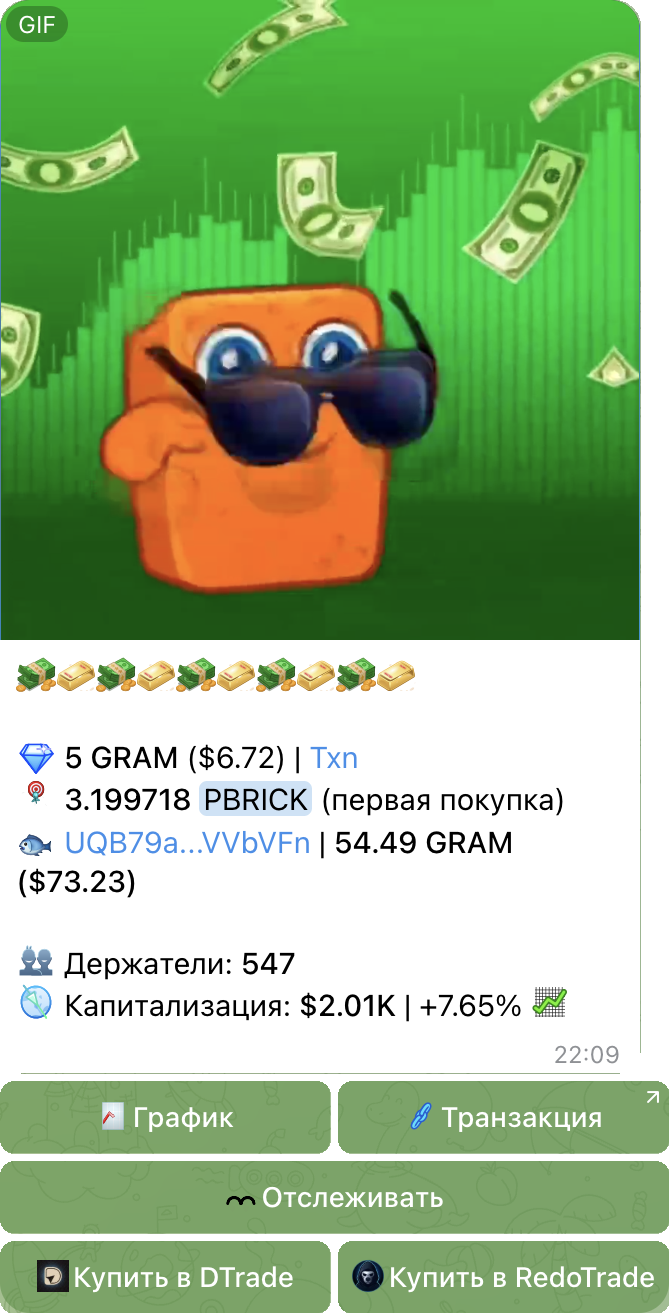
Setup and later changes are handled in Telegram. No separate dashboard is required.
Send the Jetton master address. The bot validates the token, metadata, and buy sources.
Choose a Telegram group and allow the bot to publish messages with inline buttons.
Set the minimum buy, alert format, chart, and buttons. Preview the result before going live.
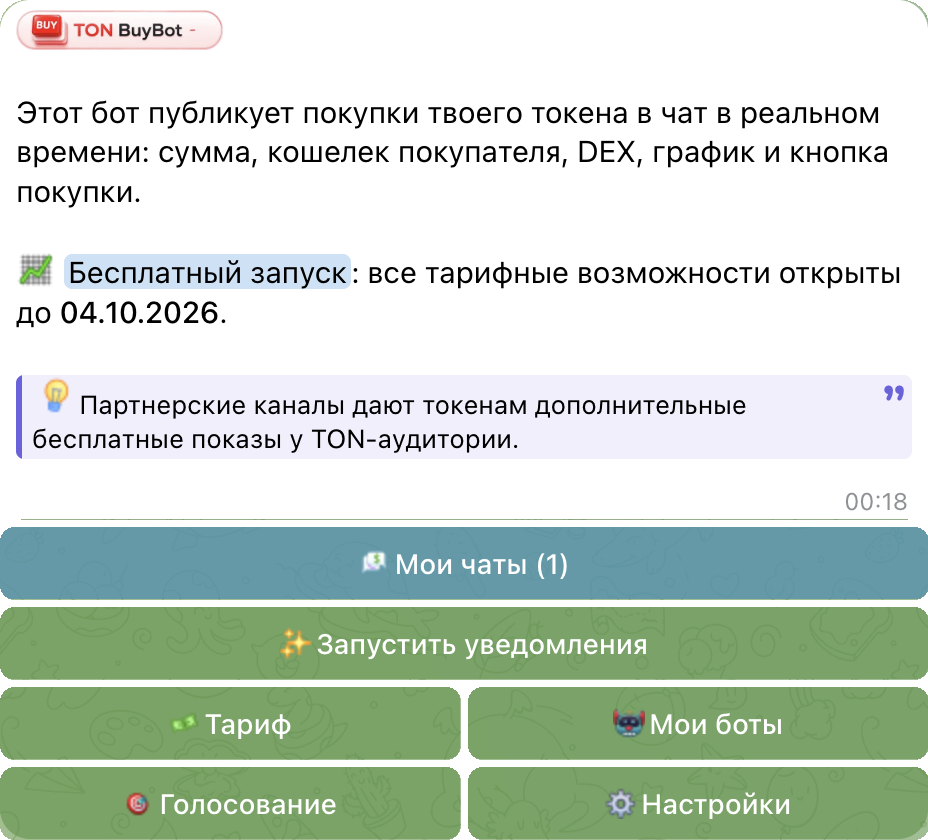
The bot adds buyer, venue, and market details to the transaction, plus links for verification and follow-up actions.
GRAM and USD, received token, DEX or launchpad, and the transaction link.
Balance, first buy or position change, fish-to-whale tiers, and known-wallet labels.
Holder count, market cap, price changes, and a chart in the message.
Transaction, tracking, DTrade, RedoTrade, and custom project buttons.
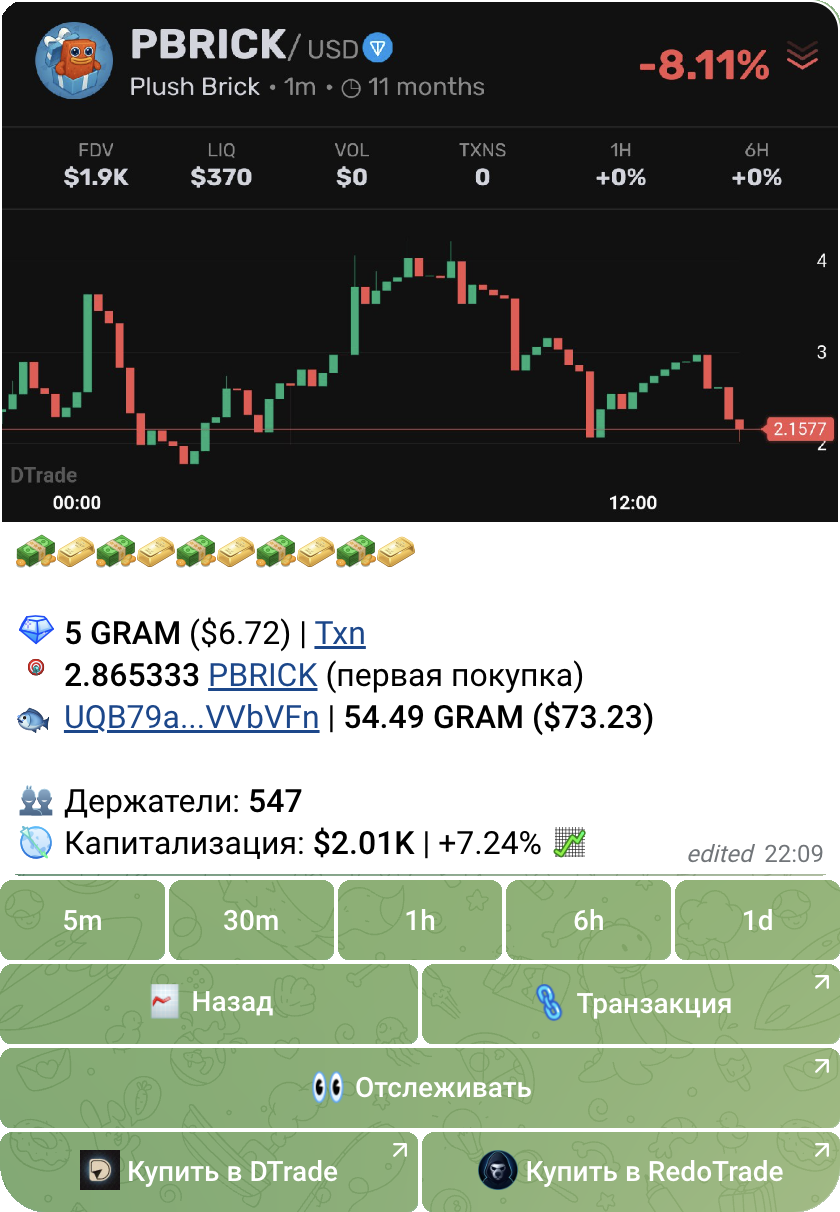
The chart button replaces the media inside the same message. Switch between 5m, 30m, 1h, 6h, and 1d, then return to the original alert.
Choose a preset or a custom template, then check the preview before publishing in the chat.
Default, detailed, short, minimal, NNBuyBot, or a fully custom template.
Minimum buy, automatic venue detection, and a dedicated configuration check.
Action order, /ca buttons, custom links, wallet tiers, and buyer labels.
Russian, English, and Farsi. Preview the result before publishing to the main chat.
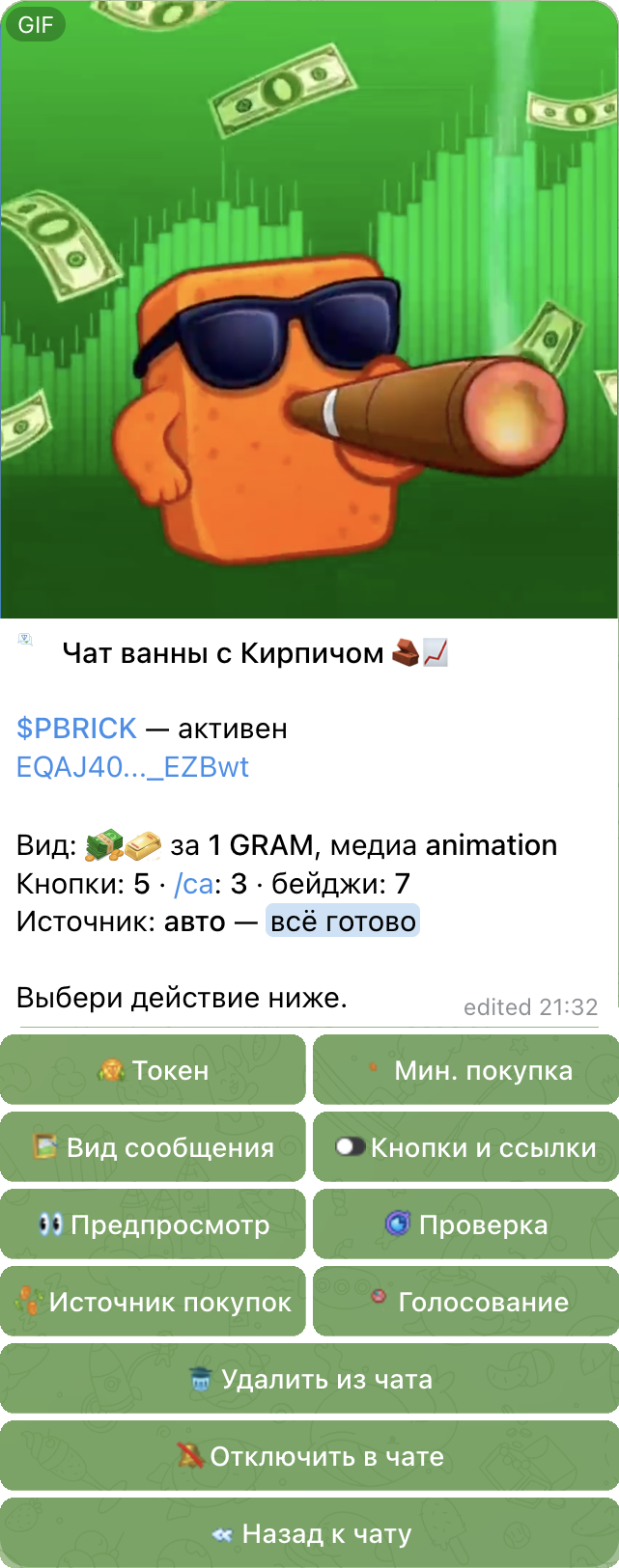
The buy source can be detected automatically or selected in settings. Minimum amount and duplicate protection are configured separately.
STON.fi, DeDust, TONCO, Torch, Megaton, Bidask, Tonpad AMM, and Dexscreener-indexed sources.
STON.fi · DeDust · TONCO · TorchMinimum-buy filters, automatic source selection, duplicate protection, and human-readable diagnostics before launch.
Filters · diagnostics · deduplicationThe interface and alert buttons support Russian, English, and Farsi, with formats adaptable to local communities.
RU · EN · FARun a token vote in Telegram or create a separate bot with your own name, design, and pricing.
Run a pinned vote, keep its counter updated, and earn free discovery across partner TON channels.
The chat shows buyer tiers, changes to their positions, and token price movements.
Create a bot under your brand. Set its appearance, markup, and payouts.
All paid features are open during the free launch through October 4, 2026.
For your first token and one active chat.
For multiple tokens and chats, with custom alert templates.
TON BuyBot publishes purchases of a connected token in its community chat. TON Tracker follows selected wallet addresses, including transfers and buys or sells of different tokens. Choose based on whether you want to monitor a token or a wallet list.
Open @buyjettons_bot and connect your TON token and Telegram chat through the bot menu. Choose a minimum purchase amount, message template, media and buttons, then check the preview. The free plan supports one token and one chat.
It monitors buys of a connected TON token and publishes structured Telegram alerts with amount, buyer, venue, market data, chart, and action buttons.
STON.fi, DeDust, TONCO, Torch, Megaton, Bidask, Tonpad AMM, and other Dexscreener-indexed sources. The venue can be detected automatically or selected in settings.
Yes. Choose Default, detailed, short, minimal, NNBuyBot, or a fully custom template, plus custom media, button order, badges, and minimum buy amount.
Yes. Free is designed for one token and one chat, while Pro supports up to 25 tokens and 10 chats.
Yes. White-label mode lets you run an instance under your own brand, control markup, and view payouts while using the same alert engine.
Contract → chat → live · setup inside Telegram